


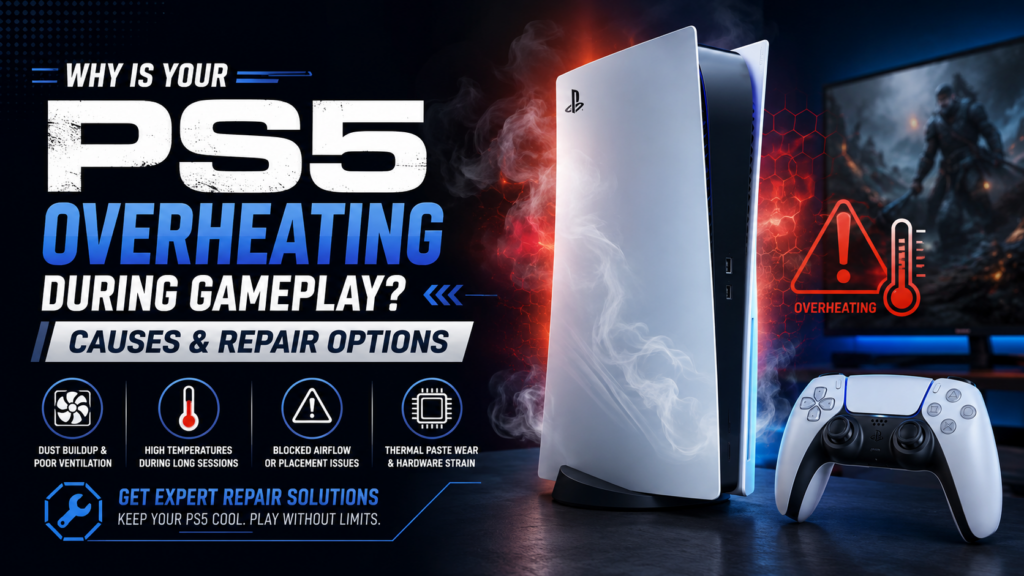
The PlayStation 5 has become one of the most popular gaming consoles because of its powerful performance, high-quality graphics, and fast loading speeds. However, like any advanced electronic device, the PS5 can face technical problems over time. One of the most common issues gamers experience is overheating during gameplay.
When a PS5 gets too hot, it can affect performance, cause unexpected shutdowns, or even damage internal components. Understanding the reasons behind overheating can help gamers take the right steps to protect their console and avoid bigger repair problems.
Signs Your PS5 May Be Overheating
A PS5 does not always stop working immediately when it overheats. In many cases, it shows warning signs first. Some common symptoms include:
- The console feels extremely hot during use
- The fan becomes louder than usual
- Games freeze or crash unexpectedly
- The system shuts down while playing
- Performance becomes slower during demanding games
- An overheating warning appears on the screen
- Longer loading times or reduced gaming performance
If you notice these signs regularly, it is important to identify the cause before the problem gets worse.
Dust Build-Up Can Block the Cooling System
Dust is one of the main reasons behind PS5 overheating. Over time, dust particles can collect around the air vents, fan, and internal areas of the console. This buildup reduces airflow and prevents heat from leaving the system properly.
The PS5 cooling system is designed to move hot air away from important components. When dust blocks this process, the internal temperature increases, forcing the fan to work harder.
Cleaning the exterior vents regularly and keeping your gaming area clean can help reduce dust-related overheating issues.
Poor Console Placement Limits Airflow
The position of your PS5 can directly affect how well it stays cool. Placing the console in a closed entertainment unit, crowded shelf, or near other heat-producing devices can restrict airflow.
For better cooling performance:
- Keep the console in an open area
- Leave enough space around the vents
- Avoid covering ventilation openings
- Keep it away from direct heat sources
A properly placed PS5 can release heat more efficiently and maintain better performance during long gaming sessions.
Extended Gaming Sessions Increase Heat
Modern games require significant processing power, especially those with detailed graphics and advanced gameplay features. During long gaming sessions, the PS5 processor and graphics components generate more heat.
Although the console is built to handle demanding games, continuous use without breaks can increase stress on the cooling system. Giving your PS5 short rest periods can help lower temperatures and improve long-term performance.
A Faulty Cooling Fan Can Cause Overheating
The internal fan plays a major role in keeping your PS5 temperature under control. If the fan becomes damaged, clogged, or stops working correctly, heat can quickly build up inside the console.
Common signs of cooling fan problems include:
- Loud fan noise
- Frequent overheating alerts
- The console becoming unusually hot
- Sudden shutdowns during gameplay
A damaged fan may require professional inspection or replacement to restore proper cooling.
Thermal Paste Problems Affect Heat Transfer
Thermal paste helps transfer heat from the PS5 processor to the cooling system. Over time, this material can lose its effectiveness, reducing the console’s ability to manage heat.
When heat transfer becomes inefficient, the processor may run hotter than normal. A professional technician can inspect the thermal system and replace worn materials if needed.
Blocked Air Vents Reduce Cooling Efficiency
The PS5 depends on proper airflow to maintain safe operating temperatures. Blocked or dirty vents can prevent cool air from entering and hot air from escaping.
Regularly checking the ventilation areas and removing dust buildup can improve airflow and reduce overheating risks.
Internal Hardware Issues May Be the Cause
Sometimes overheating is not caused by dust or placement problems. Internal hardware issues, such as power supply faults, damaged components, or motherboard problems, can also affect temperature control.
If your PS5 continues overheating after cleaning and improving airflow, professional diagnosis may be the best option. Many gamers who experience ongoing console problems look for reliable repair specialists, including services related to Game Console Repair in Orlando, to identify issues like cooling failures, hardware damage, and performance problems.
How to Prevent PS5 Overheating
Preventive maintenance can help your PS5 stay cooler and perform better. Follow these simple steps:
- Clean dust from vents regularly
- Keep the console in an open space
- Avoid blocking airflow areas
- Update your PS5 system software
- Do not place the console near heat sources
- Allow breaks during long gaming sessions
- Pay attention to unusual sounds or performance changes
These small habits can reduce the chances of overheating and extend the life of your console.
When Should You Consider PS5 Repair?
Some overheating problems can be solved with cleaning and better placement. However, repeated overheating may indicate a deeper issue that requires professional attention.
You should consider repair support if:
- Your PS5 shuts down frequently
- The fan is constantly loud
- Games continue crashing
- The console overheats even in an open space
- Performance problems continue after troubleshooting
Professional repair can help identify damaged parts, restore cooling performance, and prevent further hardware damage.
Final Thoughts
PS5 overheating during gameplay can happen because of several factors, including dust buildup, poor airflow, long gaming sessions, cooling fan problems, thermal paste issues, and internal hardware failures.
By understanding the warning signs and maintaining your console properly, you can avoid many common overheating problems. When basic solutions do not work, expert repair services can help diagnose the issue and get your PS5 back to delivering smooth gaming performance.